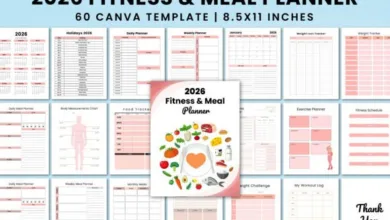
10 Best Workout Calendar Templates for 2026
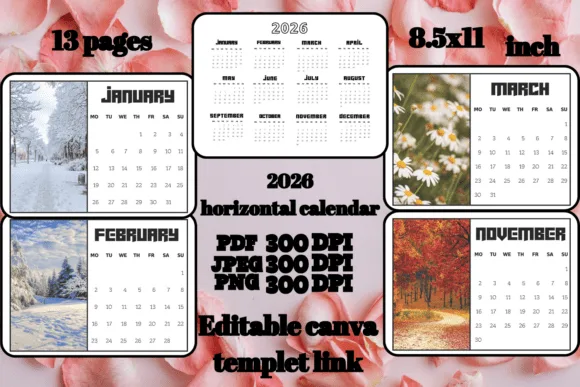
Looking to transform your fitness routine in 2026? You’re in the right place! We’ve compiled the ultimate list of workout calendar templates that’ll keep you accountable, motivated, and on track. Whether you’re a gym rat, yoga enthusiast, or just starting your fitness journey, these templates are game-changers.
Why You Absolutely Need a Workout Calendar Template in 2026
Let’s be real—how many times have you promised yourself you’d stick to a workout routine, only to lose steam after a week or two? Yeah, we’ve all been there. Here’s the thing: having a solid workout calendar template isn’t just about organization; it’s about creating a visual roadmap to your fitness success.
Think about it. When you’ve got your workouts mapped out in front of you, there’s no room for “I’ll figure it out tomorrow” excuses. You know exactly what you’re doing, when you’re doing it, and how you’re progressing. Plus, there’s something incredibly satisfying about checking off completed workouts—it’s like giving yourself a little high-five every single day!
According to research from the American Psychological Association, people who track their goals are significantly more likely to achieve them. That’s not just motivational fluff—that’s science backing up what fitness experts have known for years. A workout calendar template transforms vague intentions into concrete actions.
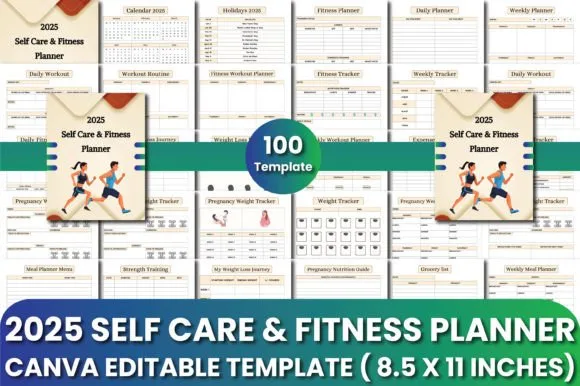
What Makes a Great Workout Calendar Template?
Before we dive into our top picks, let’s chat about what separates the mediocre templates from the absolute champions. First off, a killer workout calendar template needs to be user-friendly. If you need a PhD to figure out how to fill it in, that’s a hard pass.
Secondly, flexibility matters big time. Your fitness journey isn’t one-size-fits-all, and your template shouldn’t be either. The best ones let you customize workouts, track different metrics (think: reps, weights, cardio minutes), and adapt as your goals evolve. Oh, and aesthetic appeal? Don’t underestimate it! You’re way more likely to use something that actually looks good and inspires you.
The 10 Best Workout Calendar Templates for 2026
1. Canva’s Customizable Fitness Planner
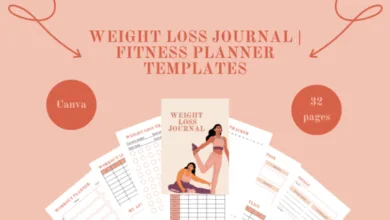
Okay, first up—and honestly, this one’s a crowd favorite—is Canva’s extensive collection of fitness planners . What’s brilliant about Canva is that you’re not stuck with someone else’s vision. You can tweak colors, fonts, layouts, and add motivational quotes that actually resonate with you.
The drag-and-drop interface makes customization ridiculously easy, even if you’re not a design whiz. Plus, Canva offers both free and premium options, so there’s something for every budget. You can create monthly views, weekly breakdowns, or even daily detailed schedules. The versatility here is unmatched, making it perfect whether you’re planning CrossFit sessions, marathon training, or simple home workouts.
2. Microsoft Excel’s Workout Log Template
Don’t sleep on good old Excel! Microsoft offers workout log templates that are surprisingly robust. If you’re a numbers person who loves tracking every detail—sets, reps, weights, rest periods—this is your jam.
The beauty of Excel templates lies in their functionality. You can create formulas to automatically calculate total volume, track progressive overload, and even generate charts showing your strength gains over time. Sure, it might not be the prettiest option out there, but for hardcore data geeks who want serious tracking capabilities, Excel delivers the goods. And hey, it works seamlessly across devices, so you can update your log right there at the gym.
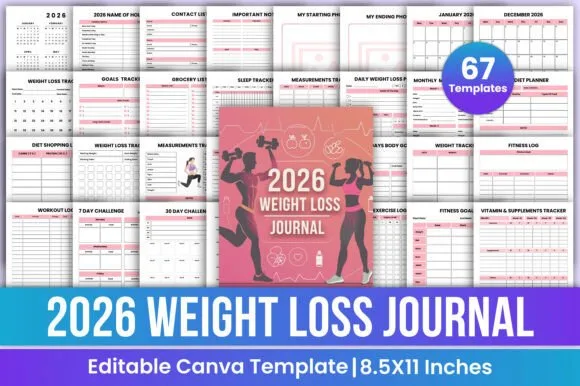
3. Vertex42’s Printable Workout Calendar
Sometimes you just want something simple you can print out and stick on your fridge, right? Vertex42’s printable workout calendar is perfect for that old-school approach. There’s something about physically writing down your workouts and crossing them off that hits different.
This template is clean, straightforward, and gets the job done without any fuss. It’s available in multiple formats (Excel, PDF, Google Sheets), and the design is minimalist enough that you can add your own flair if desired. Perfect for folks who prefer keeping their fitness tracking analog or who like having that constant visual reminder on the wall.
4. Google Sheets Workout Tracker by Spreadsheet Point
Cloud-based tracking is where it’s at in 2026! Google Sheets templates are accessible anywhere, anytime, from any device. Spreadsheet Point offers excellent workout tracker templates that you can duplicate and customize to your heart’s content.
What’s cool about Google Sheets is the collaboration potential. Training with a buddy? You can both access and update the same calendar, keeping each other accountable. The templates typically include sections for exercise names, sets, reps, weights, and notes. Plus, Google Sheets automatically saves your changes, so you’ll never lose your progress due to a computer crash or forgotten save.
5. Notion’s All-in-One Fitness Dashboard
If you’re already living in Notion for productivity, why not bring your fitness tracking there too? Notion’s fitness templates are incredibly comprehensive, combining workout calendars with meal planning, progress photos, measurements, and goal tracking all in one beautiful dashboard.
The customization possibilities are virtually endless. You can embed YouTube workout videos, link to your favorite fitness articles, create habit trackers, and design progress graphs. Yes, there’s a bit of a learning curve if you’re new to Notion, but once you get the hang of it, you’ll wonder how you ever lived without it. The mobile app means your entire fitness ecosystem travels with you wherever you go.
6. Trello’s Visual Workout Board
Here’s a unique approach: using Trello as a workout planner . The card-based system is surprisingly intuitive for fitness planning. Create lists for different workout types, days of the week, or training phases, then move cards around as you complete them.
Trello’s visual nature makes it super satisfying to drag completed workout cards to a “Done” list. You can add checklists within cards for specific exercises, attach instructional videos or images, set due dates, and even color-code by intensity or muscle group. It’s particularly great for people who respond well to visual organization and kanban-style planning.
7. Smartsheet’s Gym Workout Schedule Template
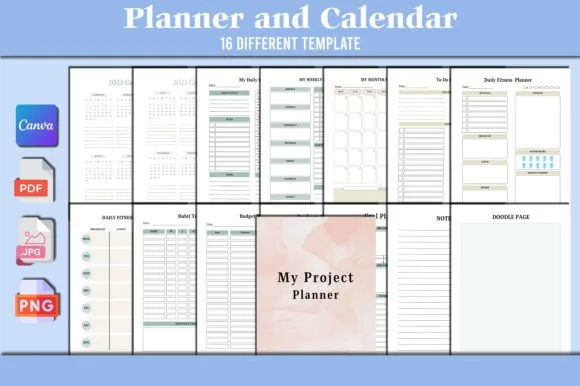
For those seeking something more robust and business-like, Smartsheet delivers professional-grade templates . These aren’t your basic calendars—they’re sophisticated planning tools that include Gantt chart views, automated reminders, and resource management features.
Admittedly, this might be overkill for casual fitness enthusiasts, but if you’re training for a major event like a triathlon, bodybuilding competition, or marathon, the advanced features are invaluable. You can map out periodized training phases, track multiple athletes if you’re a coach, and generate detailed reports on training volume and recovery periods.
8. Fitness Blender’s Free Workout Calendar PDFs
Fitness Blender doesn’t just provide workout videos—they offer fantastic free workout calendar PDFs designed to accompany their programs. These templates come pre-filled with suggested workouts, making them perfect if you don’t want to design your own programming from scratch.
The calendars are organized by fitness goals (weight loss, muscle building, general fitness) and include rest days strategically placed for optimal recovery. What’s brilliant is that each workout listed corresponds to one of their free YouTube videos, so you’ve got instant access to guided instruction. It’s basically a complete fitness program in calendar form, and did I mention it’s totally free?
9. Airtable’s Advanced Workout Database
Think of Airtable as a spreadsheet-database hybrid on steroids. Their workout templates allow you to create relational databases where exercises link to specific workout sessions, which link to weekly plans, which roll up into monthly views. Sounds complex? It can be, but the power is incredible.
You can filter views by muscle group, equipment type, workout duration, or intensity level. Create gallery views with exercise demonstration images, calendar views for scheduling, and timeline views for long-term training cycles. If you’re a fitness professional managing multiple clients or a serious athlete who wants maximum control over data, Airtable is worth the investment of time to learn.
10. Template.net’s Premium Workout Calendar Designs
Last but definitely not least, Template.net offers gorgeous premium workout calendar templates that look professionally designed (because they are). If aesthetics matter to you and you’re willing to invest a few bucks for something truly beautiful, check these out.
These templates often include motivational elements, progress tracking sections, and inspiring imagery that makes you actually want to open them every day. They’re available in multiple formats—Word, Pages, Google Docs, InDesign—so compatibility isn’t an issue. The designs range from minimalist and modern to colorful and energetic, ensuring there’s something that matches your personal style.

How to Choose the Right Workout Calendar Template for Your Needs
Alright, so you’ve got options—plenty of them. But which one’s actually right for you? Let’s break this down based on different fitness personalities and goals.
If you’re a beginner: Start simple! Vertex42’s printable calendar or Fitness Blender’s pre-designed programs are your best bets. You don’t need complicated tracking when you’re just establishing the habit of regular exercise. Focus on showing up consistently rather than data analysis.
If you’re tech-savvy and love customization: Notion or Airtable will be your playground. These platforms offer endless possibilities for creating the perfect personalized system. Yes, there’s a setup time investment, but the payoff in having exactly what you want is huge.
If you’re training for a specific event: Smartsheet or Google Sheets with custom formulas will help you implement proper periodization, track training volume, and ensure you’re progressing appropriately toward your goal. The data tracking capabilities become essential when following structured programs.
If you’re visual and creative: Canva or Trello lets you create something that’s not just functional but also inspiring to look at. When your workout calendar doubles as motivation fuel, you’re more likely to stick with it.
If you want simplicity with zero learning curve: Microsoft Excel or Google Sheets templates from Spreadsheet Point are foolproof. You know how to use these programs already, so there’s no friction between you and getting started immediately.
Tips for Actually Using Your Workout Calendar Template (Because We Know You’ve Downloaded Planners Before and Never Used Them)
Listen, we need to have a heart-to-heart here. Downloading a template is the easy part. Actually using it consistently? That’s where the rubber meets the road. Here are some battle-tested strategies to make sure your 2026 workout calendar doesn’t end up in the digital graveyard of good intentions.
Make it ridiculously accessible: If your template lives three folders deep in your computer files, you’re never opening it. Put it on your phone home screen, pin it to your browser, or print it and stick it where you’ll see it every single morning. Out of sight equals out of mind, and out of mind equals workouts skipped.

Fill it out weekly, not monthly: Planning an entire month of workouts sounds productive, but life happens. Plan your workouts one week at a time, giving yourself flexibility to adjust based on how your body feels, schedule changes, or unexpected obligations. This keeps your calendar realistic rather than aspirational fiction.
Track more than just exercises: Include how you felt during the workout, energy levels, sleep quality, or even just a quick emoji. This additional context helps you spot patterns—maybe you always crush leg days after good sleep, or perhaps evening workouts leave you too energized to sleep well. These insights are gold for optimizing your routine.
Celebrate milestones visually: When you hit a goal—whether it’s a month of consistency, a new personal record, or completing a challenging program—mark it boldly on your calendar. Use highlighters, stickers, or digital badges. These visual celebrations reinforce the positive behavior and give you motivation boosts when you glance back at how far you’ve come.
Common Mistakes to Avoid with Workout Calendar Templates
Even with the best template, there are pitfalls that can derail your progress. Let’s talk about what NOT to do, so you can sidestep these common traps.
Overplanning and under-executing: We’ve all been guilty of creating the perfect, meticulously detailed workout plan for six days a week, then immediately burning out because it’s unsustainable. Be honest about what you’ll actually do. Three consistent workouts beat six planned-but-skipped sessions every single time.
Not accounting for rest and recovery: Your workout calendar should include rest days, and not as afterthoughts. Recovery is when your body actually gets stronger, not during the workouts themselves. Schedule rest days with the same intentionality as training days, and honor them as non-negotiable parts of your program.
Forgetting to review and adjust: Your calendar shouldn’t be set in stone. Every few weeks, review what’s working and what isn’t. Are certain workouts too easy now? Is the schedule creating too much fatigue? Maybe life circumstances changed and you need to shift timing. Your template should evolve with you, not cage you into an outdated plan.
Making it too complicated: If filling out your workout calendar takes longer than the actual workout, something’s wrong. Keep tracking simple enough that it takes 60 seconds or less to log your session. The moment it feels like homework, compliance drops dramatically.
Integrating Your Workout Calendar Template with Other Fitness Tools
Your workout calendar doesn’t exist in isolation—it’s part of a broader fitness ecosystem. Let’s talk about how to connect it with other tools for maximum effectiveness.
Many fitness trackers like Garmin can sync data to Google Sheets or other platforms through services like Zapier or IFTTT. This means your actual workout data automatically populates your calendar template—no manual entry required. Pretty slick, right?
If you’re using nutrition tracking apps like MyFitnessPal or Cronometer, consider creating a split-screen view in Notion or Airtable where your workout calendar lives alongside your meal planning. This holistic view helps you see how training and nutrition work together, making it easier to fuel properly for intense training days and adjust on rest days.
Wrapping Things Up: Your 2026 Fitness Journey Starts with the Right Template
So there you have it—the 10 best workout calendar templates for 2026, ranging from simple printables to sophisticated database systems. The perfect template for you depends on your personality, tech comfort level, and specific fitness goals. But here’s the real secret: the best workout calendar template is the one you’ll actually use.
Don’t get caught in analysis paralysis, endlessly searching for the “perfect” option. Pick one that resonates with you, start using it today, and adjust as you go. Remember, consistency beats perfection every single time. Your future self—stronger, healthier, and more confident—will thank you for taking this step.
The tools are here. The information is at your fingertips. Now it’s time to stop planning and start doing. Your 2026 fitness transformation is waiting, and it begins with that first workout you schedule in your brand-new calendar template. Let’s make this your strongest year yet!
Frequently Asked Questions About Workout Calendar Templates
What’s the difference between a workout calendar and a workout tracker?
Great question! A workout calendar focuses on planning future workouts—it’s your schedule showing what you’ll do and when. A workout tracker records what you’ve already done, including details like exercises, sets, reps, and weights. The best workout calendar templates actually combine both functions, allowing you to plan ahead while simultaneously logging completed sessions. Think of the calendar as your roadmap and the tracker as your travel journal—you need both for a successful fitness journey.
Should I use a digital or printable workout calendar template?
Honestly? This comes down to personal preference. Digital templates offer convenience, automatic backups, accessibility across devices, and easy editing. Printable versions provide that tactile satisfaction of physically checking off workouts and can serve as constant visual reminders on your wall or fridge. Some folks even use both—digital for detailed tracking and printable for daily motivation. Try both approaches and see which one keeps you more accountable. There’s no wrong answer here.
How often should I update my workout calendar template?
At minimum, you should be logging completed workouts immediately after finishing them—striking while the iron’s hot means better accuracy. For planning purposes, reviewing and adjusting your calendar weekly works well for most people. This weekly check-in lets you plan the upcoming week based on recovery status, schedule realities, and how previous workouts felt. Monthly reviews are also valuable for tracking bigger-picture progress and adjusting your overall program direction. The key is finding a rhythm that feels sustainable rather than burdensome.
Can workout calendar templates help with weight loss?
Absolutely! While the calendar itself doesn’t burn calories, it creates the accountability and consistency that drive weight loss success. Studies from the National Institute of Diabetes and Digestive and Kidney Diseases show that people who maintain consistent exercise schedules are significantly more successful at losing weight and keeping it off. Your workout calendar helps you establish that consistency by removing decision fatigue (you already know what workout you’re doing) and creating a visual record of your dedication that motivates continued effort.
Are free workout calendar templates as good as paid ones?
In most cases, yes! The free options from platforms like Google Sheets, Canva, and Vertex42 offer plenty of functionality for the average fitness enthusiast. Paid templates typically offer prettier designs, more sophisticated features, or pre-built programming—but these extras aren’t necessary for results. Invest in a paid template if aesthetics strongly motivate you or if you need specific advanced features. Otherwise, the free options will absolutely get the job done. Remember, the template’s value comes from your consistency in using it, not from how much it cost.