
Make It Yours: 6 Editable Canva Meal Planner Templates Actually Worth Using
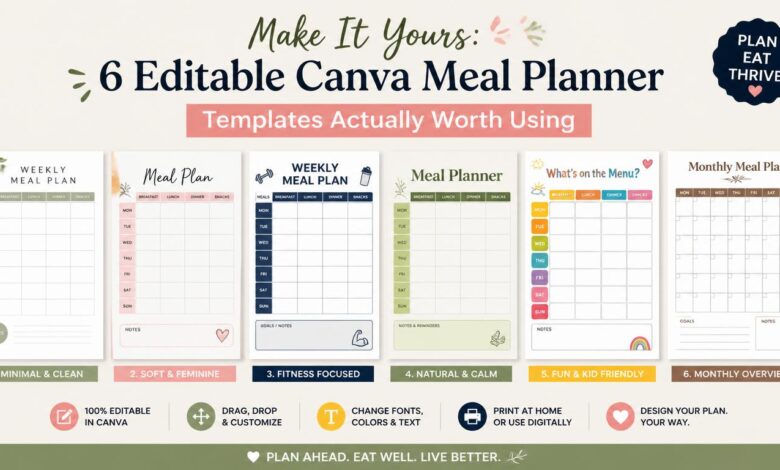
I have a confession: I used to buy those gorgeous, expensive meal planning journals at boutique bookstores, fill out exactly two pages in my neatest handwriting, and then shove them in a drawer forever. Why? Because the boxes never fit my actual life. They always had three massive rows for “Snacks” (I don’t snack) and a tiny, useless square for “Dinner” right when I needed to track my protein macros the most.
Trying to force your specific diet into someone else’s rigid boxes is a recipe for giving up.
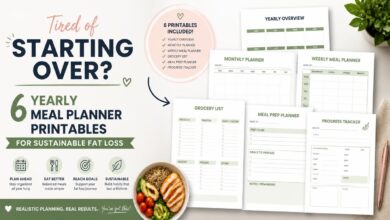
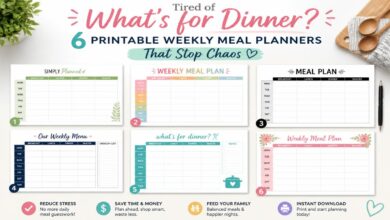
That is exactly why editable Canva meal planner templates completely changed how I organize my kitchen. Starting with a beautifully designed template gives you the aesthetic motivation to plan, but the ability to edit it means you can actually make it work for you. Want to delete the “Dessert” row? Done. Need a dedicated checkbox for your morning creatine? You can add it in five seconds. Below, I rounded up my six favorite customizable Canva templates that let you build the exact nutrition dashboard you need.
Get My Personal Canva Customization Cheat Sheet
Download my free guide showing the 3 exact tweaks you must make to any planner template to track protein effectively without losing your mind.
Why Editing Your Own Planner Actually Keeps You Consistent
There is a funny thing about human psychology. When we customize something, we value it more. It is called the IKEA effect. If you just print a generic tracker, it feels like homework. If you build it yourself, it feels like a tool.
Editing a Canva template gives you a few massive advantages:
- You Can Be Realistic: If you know you always eat takeout on Friday nights, don’t leave a blank “Dinner” box to feel guilty about. Open Canva, type “Pizza Night!” into Friday’s slot, and print it. Plan for real life.
- Family Friendly Tweaks: You can easily split a dinner row in half. Track your high-protein chicken breast on top, and write down the mac-and-cheese you are making for your toddler underneath.
- Aesthetic Control: We like pretty things. Changing the template colors to match your kitchen decor or picking your favorite fonts makes the weekly chore of meal planning feel a bit more like self-care.
→ 6 Best Fitness & Keto Meal Planners to Burn Fat Faster
Explore our foundational nutrition science articles:

Top 6 Fully Customizable Canva Planners
1. 30-Page Editable Meal Planner Canva Template
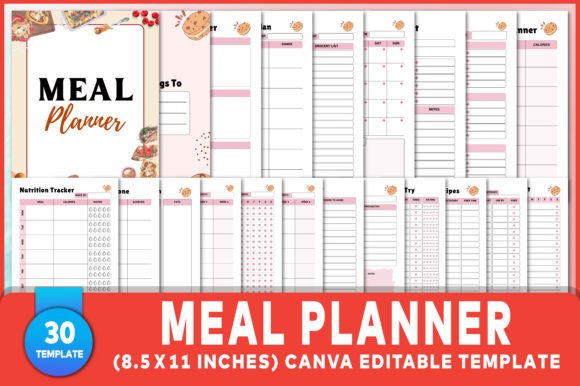
Think of this as the Swiss Army knife of planners. It is a massive 30-page interior bundle offering 100% customizable source files. You get weekly meal plans, grocery lists, macro breakdown pages, and recipe cards. Every single line, border, and font is yours to play with.
This is an incredible foundation if you want to build a serious diet binder. I highly suggest grabbing the “Macro Meal Planner” page from this bundle, duplicating it in Canva, and creating your own dedicated 12-week challenge log.
2. 25-Page Health & Nutrition Canva Planner
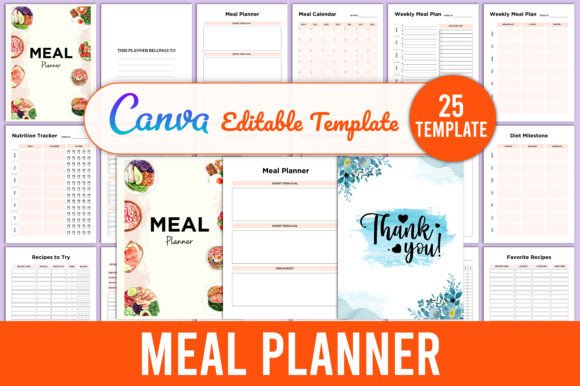
This one has a lovely modern aesthetic out of the box. It connects your weekly grocery lists directly to nutrition trackers and self-care checklists. The best part? You can instantly swap out the default colors to match your home office vibe.
Perfect if you want a holistic approach. Try editing the “Self-Care Tracker” page to include your specific diet habits. Add checkboxes for “Hit 8,000 steps” or “Took magnesium before bed.”
3. Watercolor Flowers CANVA Meal Planner
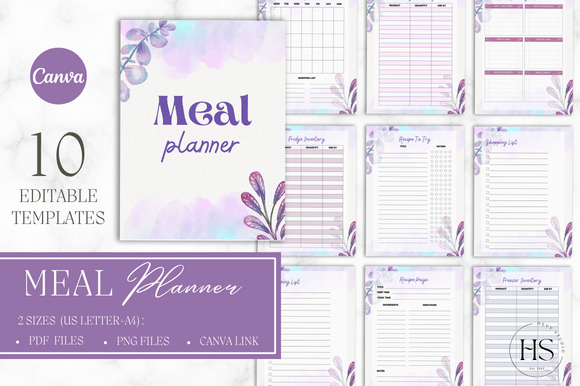
If you want something pretty on your fridge, this is it. It is a 10-page collection featuring elegant watercolor floral designs. Beyond the standard weekly schedules, it focuses heavily on kitchen organization with beautifully laid out Fridge, Freezer, and Pantry inventory templates.
This is a lifesaver if you struggle with food waste. I suggest editing the text on the “Freezer Inventory” page to specifically track your batch-cooked meats. You will never accidentally buy chicken breasts again when you already have five pounds frozen.
4. Low-Content Minimalist Meal Planner Canva
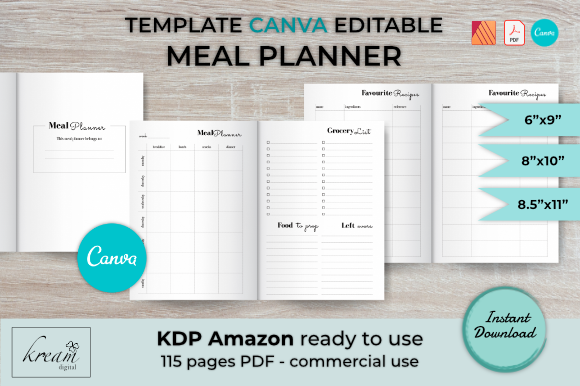
This one was designed for people publishing journals on Amazon, which means it is incredibly efficient and low-ink. It features practical sections like “Food to Prepare” and a specific “Leftovers” tracker. It is pure function over flash.
That dedicated “Leftovers” block is brilliant. Open this in Canva and rename that section to “Lunch Leftovers” to remind yourself to pack the previous night’s healthy dinner for work.
5. Vibrant 25-Page Editable Meal Planner
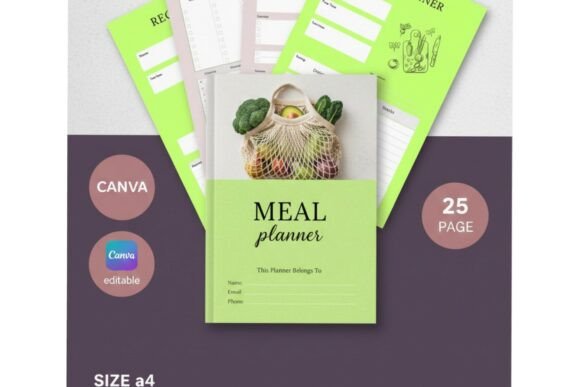
If beige and gray bore you to tears, this is your set. It offers a comprehensive tracking system wrapped in a vibrant, highly motivating visual style. It includes everything from grocery categorization to deep nutritional tracking across 25 pages.
A fantastic choice if you are a visual learner. Since it’s fully editable, you can use Canva’s drag-and-drop features to actually insert small photos of your favorite healthy meals directly into the calendar boxes for quick inspiration.
6. Single-Page Minimalist Planner
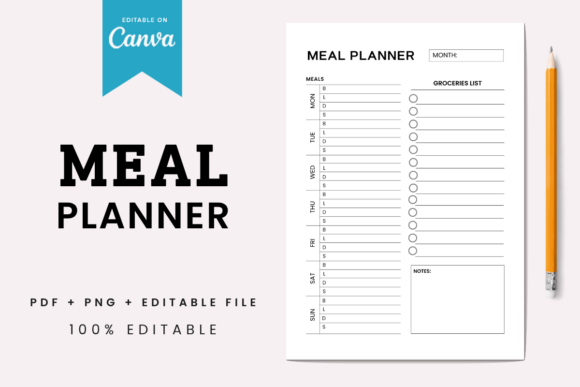
Sometimes less really is more. This ultra-clean, single-page digital download focuses purely on getting your meals and groceries onto one piece of paper. You get the direct Canva link alongside a ready-to-print PDF.
The absolute best option if large workbooks overwhelm you. Load this into Canva, change the title font to something fun, print off ten copies, and clip them to a board in your kitchen. Done in five minutes.
Canva Customization Matrix
A quick look at how these top six templates compare in scope and design:
| Template Name | Page Count | Aesthetic Style | Unique Feature |
|---|---|---|---|
| 30-Page Editable Bundle | 30 Pages | Clean & Professional | Deep macro & milestone trackers |
| 25-Page Health & Nutrition | 25 Pages | Modern Minimalist | Self-care habit integration |
| Watercolor Flowers | 10 Pages | Floral / Elegant | Detailed freezer/pantry logs |
| Low-Content KDP Tracker | Modular | Neutral / Low-Ink | Leftovers tracking box |
| Vibrant 25-Page Set | 25 Pages | Colorful & Bold | High-energy visual layout |
| Single-Page Minimalist | 1 Page | Ultra-Minimal | Instant one-click editing |
My 3 Rules for Making Your Canva Planner Actually Work
Once you buy your template and open it in Canva, take five minutes to make these essential tweaks. I promise they make all the difference:
- Add a “Protein Target” Header: Grab the text tool and stick a bold box at the top of your weekly schedule reading “Daily Protein Goal: ___g”. Keeping this number in your face prevents you from casually planning a pasta dinner that leaves you starving at 9 PM.
- Delete Unused Snack Rows: If you only eat three main meals a day, highlight the generic “Snack” boxes and hit delete. Blank boxes on a planner create weird subconscious pressure to fill them, which usually just leads to mindless grazing.
- Add a Hydration Visual: Find a free “water drop” graphic in Canva’s elements tab and paste it 8 times across the bottom of each day. Checking off little visual drops is honestly way more effective than just telling yourself you’ll drink more water.
Get My Custom Macro Formulas
Learn exactly what numbers to type into your new planner. Download my printable calorie-deficit cheat sheet and protein conversion chart.

Final Word: Make the Tools Work for You
You should never have to force your lifestyle into a rigid, mass-produced tracking system. Nutrition is deeply personal, and the tools you use to organize your life should be too.
When you use editable Canva meal planner templates, you get to be the architect. Pick a design you love, tweak the columns so they actually make sense for your week, print it out, and watch your consistency finally stick.
Frequently Asked Questions
Do I have to pay for Canva to use these templates?
Not at all. The templates featured here use standard free design assets. You can open, customize, and save them as high-quality PDFs using a basic, free Canva account. No Pro subscription required.
How do I access the template after buying it?
When you purchase the download from Creative Fabrica, you get a PDF file containing a direct link. Click that link, and it automatically opens a fresh, editable copy of the template right in your Canva account.
Can I use these templates on my iPad instead of printing them?
Yes. Edit the template in Canva, export it as a standard PDF, and then import that PDF straight into GoodNotes or Notability. You can then plan your meals paper-free using your Apple Pencil.

Written by Amelia
Nutritionist & Gym EnthusiastAt 38, I balance gym training with developing practical nutrition breakdowns for everyday life. I focus on moderate energy deficits, wholesome supermarket ingredients, and sustainable habits that protect long-term metabolic health.
Affiliate Disclosure: This post contains affiliate links to Creative Fabrica. If you click through and purchase a template, I may receive a small commission at no extra cost to you. I only recommend tools I genuinely believe will help streamline your kitchen routine.
Get My Free Canva Customization Guide
A quick PDF cheat sheet showing you exactly how to edit colors, add custom text blocks, and insert water tracking icons in Canva in under two minutes.